When fiber internet goes down in an office, the problem is almost never limited to “there is no internet.” Calls inside the CRM stop, spreadsheets freeze, cloud documents stop opening, email becomes unavailable, managers cannot process incoming requests, and the accounting team loses access to services. If the team depends on IP telephony, VPN, web dashboards, or remote desktops, even a short outage turns into direct losses in time, money, and control. For an office, backup internet is not a “just in case” option. It is a normal part of business continuity.
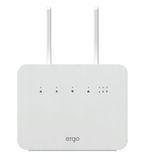
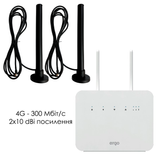
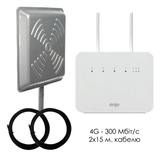
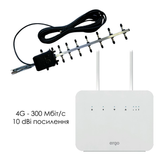
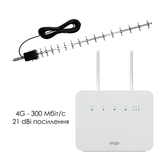
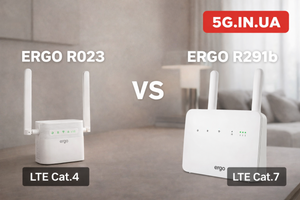
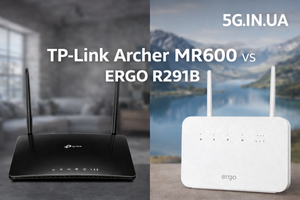
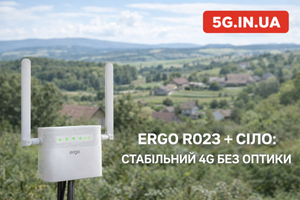
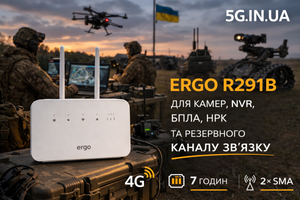
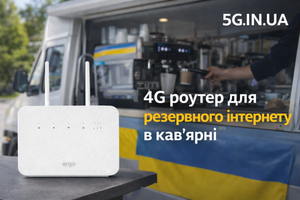
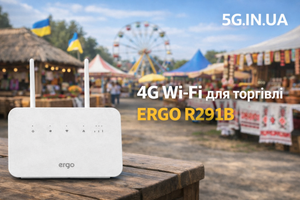
For most small and mid-sized offices in Ukraine, the most practical backup when fiber goes down is a dedicated 4G router with a SIM card. ERGO R291B looks rational in this role: it supports 4G LTE Cat.7, AC1200 Wi-Fi on 2.4 and 5 GHz, has 1× WAN/LAN and 3× LAN 10/100/1000 ports, two SMA connectors for external LTE antennas, works with mini-SIM, and can provide internet access for up to 32 devices. Its built-in 4000 mAh battery allows it to operate autonomously for up to 7 hours, which matters especially when connectivity and power problems happen at the same time.
Why an Office Needs Backup Internet Even If Fiber Is “Usually Stable”
Fiber internet is fast and convenient in most cases. But stable fiber is not the same as failure-proof fiber. The line can go down because of cable damage, a provider-side issue, a power loss at active network equipment, construction work inside the building, or a simple failure at the access node. For a business, the reason quickly becomes secondary. Only one thing matters: the team has lost network access during working hours.
For an office, the consequences usually look like this:
The Team Is Physically Present but Functionally Offline
Employees are sitting at their laptops, but they cannot properly do their jobs. Files do not load, services do not sync, corporate messengers stop working, and web interfaces become unavailable. Formally, the workday continues. In reality, part of the team is idle.
Response Speed to Clients Drops Immediately
An office that handles requests from a website, marketplaces, phone calls, email, or messengers starts losing ground the moment internet access disappears. In some niches, even a 20–30 minute response delay already means a lost client.
The Usual Office Workflow Breaks
A modern office rarely operates in a fully local mode. Spreadsheets, CRM, accounting services, document exchange, payment systems, backup services, analytics platforms, banking dashboards, ad accounts, and web-based admin panels all depend on connectivity. When fiber fails, the office does not lose comfort. It loses functionality.
What Proper Backup Internet for an Office Actually Means
The wrong approach is when someone starts sharing internet from a smartphone, searching for a charger, moving a laptop closer to a window, and manually switching part of the team to a temporary Wi-Fi hotspot. That does not back up an office. It only creates the illusion of reacting to the problem.
Proper backup internet for an office has three clear features.
It Is Prepared in Advance
A backup connection should not be activated in the middle of chaos. It should already be configured: with a SIM card installed, coverage tested, the connection scheme understood, and the list of critical devices verified.
It Supports a Business Process, Not Just One Person
An office does not need internet “just to check messages.” It needs a channel that keeps at least the critical business layer alive: team laptops, IP telephony or part of it, CRM, email, browser access, banking dashboards, and cloud documents.
It Does Not Depend on the Same Point of Failure
If the main channel is fiber, the backup must use different physical logic. That is exactly why 4G is usually stronger as a backup route than a second wired scheme inside the same building.
Why 4G Is a Logical Backup for an Office During Fiber Outages
For a small or mid-sized office, 4G is not a compromise “because there is nothing else.” It is a working backup tool. Its main advantage is independence from the fiber line, the building’s internal infrastructure, and the local wired path.
Separate Infrastructure
If the office depends on fiber and that line disappears, backup through the mobile network provides a different access route. That is the real essence of backup connectivity: not to duplicate the same risk, but to separate it.
Fast Deployment
A 4G backup does not require complicated approvals, a second fiber entry, new cabling, or a separate technical room. In many cases, all that is needed is a properly chosen router, a SIM card, and correct placement inside the office.
Sufficient for Most Office Tasks
For email, CRM, web browsing, lead processing, moderate IP calls, messengers, web services, spreadsheets, and document work, 4G is usually enough. A backup channel does not have to reproduce the full comfort of fiber one-to-one. Its task is to keep the business operational, not to maintain perfect conditions.
Why ERGO R291B Fits the Office Scenario
ERGO R291B does not look like a random “summer house router” that somehow ended up in an office. Its feature set fits the exact scenario where an office needs to get through a fiber outage quickly and without unnecessary improvisation. The model includes LTE Cat.7, AC1200 Wi-Fi, 1× WAN/LAN + 3× LAN 10/100/1000, 2×SMA for MIMO 2×2, a built-in 4000 mAh battery, and support for up to 32 users.
Gigabit LAN Ports Are Not a Minor Detail
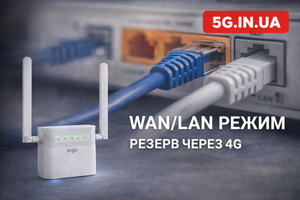
Office equipment often works not only over Wi-Fi. A manager’s laptop, a network printer, NAS, IP telephony, a mini-PC, a switch for several workstations, or a stationary work node usually behaves more reliably over cable. The presence of 1× WAN/LAN and 3× LAN 10/100/1000 means the entire backup setup does not collapse into a chaotic wireless hotspot where whoever connects first gets access.
Dual-Band AC1200 Wi-Fi Helps in a Dense Office Environment
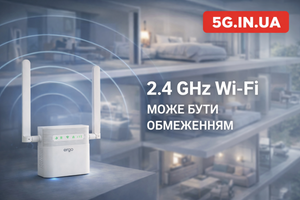
The radio environment in an office is almost always crowded: neighboring networks, employees’ smartphones, Bluetooth headsets, wireless printers, sometimes cameras, and sometimes TVs or media panels. The 2.4 GHz band is often overloaded. Support for 5 GHz makes it possible to separate part of the work devices and reduce interference. For a small office, that is a practical advantage, not a marketing number.
Up to 7 Hours of Autonomous Operation Is a Strong Argument for Blackout Scenarios
Office problems often come in combination: fiber goes down, power disappears, part of the equipment reboots, and the team loses time restoring basic functionality. ERGO R291B has a 4000 mAh battery and can work autonomously for up to 7 hours. That allows the office to survive not only a provider-side outage, but also part of the working day without 220 V, as long as laptops and mobile devices still have power.
2×SMA for External LTE Antennas Matters for Offices in Difficult Buildings
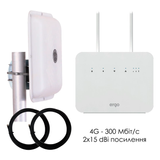
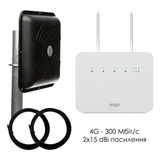
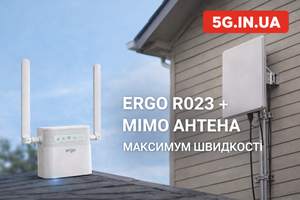
Not every office gets good LTE signal right on the desk. Many companies work in business centers with energy-efficient glass, on lower floors, in dense urban buildings, in older structures with thick walls, or in deep interior office blocks with poor reception. In such conditions, the ability to connect an external LTE MIMO antenna through two SMA connectors is not an extra feature. It is the difference between “backup exists on paper” and “backup actually works.”
Practical Office Scenarios
Sales Office Where Response Speed Is Critical
If managers work with incoming leads, calls, chats, email, and CRM, a fiber outage affects revenue immediately. In such a scenario, a backup 4G router makes it possible to keep processing leads and avoid losing the first minutes of contact with a client, which are often the most valuable.
Accounting, Administration, Back Office
Here, backup is needed not for “nice uptime,” but for access to online banking, electronic document exchange, spreadsheets, government services, dashboards, and corporate email. An office can calmly survive a fiber failure if critical services remain available.
Small Open Space for 5–15 People
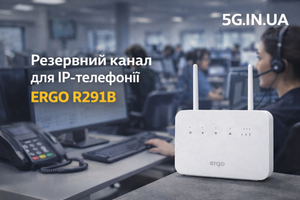
In this format, ERGO R291B looks especially logical. It does not try to be an industrial carrier-grade gateway, but it is fully suitable as a working backup for a small team that needs to keep email, browser access, documents, chats, CRM, and part of its voice traffic online in emergency mode.
Temporary Office or Rented Premises
When a company does not want to invest in complex temporary infrastructure or frequently changes the office layout, 4G backup provides flexibility. This is especially relevant in serviced offices, project spaces, exhibition areas, temporary sites, or new premises before the main channel is fully launched.
How to Organize Backup Internet in an Office Correctly
The key mistake is thinking that buying a router is enough. In reality, it is not the box itself that works, but the correctly built scheme around it.
1. Define the Critical Layer
During an outage, not every part of the office is equally important. In most cases, it is enough to maintain connectivity for:
-
the manager or administrator;
-
sales staff;
-
accounting;
-
CRM and email;
-
a few key laptops;
-
IP telephony or its minimum working subset.
When the backup is not overloaded with secondary tasks, it works much more predictably.
2. Find the Real LTE Sweet Spot
The router should not be placed “where it looks nice” or “where there happened to be a free power socket.” For 4G, radio conditions matter. Sometimes the difference between a desk near an inner wall and a windowsill near the outer facade produces a noticeably different result without changing the tariff plan or the hardware.
3. Test Different Operators
In a specific office, one operator may work much better than another. The reason is not branding. It is the actual location of base stations, sector load, operating bands, and the way the signal penetrates your building.
4. Plan for an External Antenna Immediately If the Premises Are Difficult
If the office is deep inside the building or LTE is unstable even during the initial test, there is no point pretending that “it will probably be fine.” In this scenario, the 2×SMA connectors on ERGO R291B give you the correct upgrade path.
5. Test Emergency Mode Before the First Real Emergency
It makes sense to simulate a fiber outage once and see how the office behaves in reality. Does the CRM open, does email work, is the speed enough for browsing, do calls go through, is the channel overloaded by unnecessary devices? That is much cheaper than learning all of this during an actual outage.
Honest Limitations: When 4G Backup for an Office May Not Deliver the Expected Result
Backup 4G internet is a strong solution, but not universal magic. There are scenarios where the assessment has to stay realistic.
Office Without Usable LTE Coverage
If the mobile signal in the premises or nearby is too weak to be usable, the router alone will not solve the problem. In such cases, proper placement, testing another operator, or using an external antenna is necessary.
Very Heavy Traffic
If the office expects the backup channel to simultaneously handle high-quality video conferences for the entire team, large synchronizations, constant cloud backups, remote desktops for everyone, and parallel heavy downloads, that is a different class of task. A backup channel should primarily preserve business operability, not perfectly reproduce the comfort of the main fiber line.
Overloaded Base Station
Even good 4G can degrade during peak load or during broader аварійні periods when the mobile network is also taking additional traffic. In that case, having a backup channel is still far better than having nothing at all, but expectations should remain realistic.
Poor Internal Network Organization
Sometimes the problem is not the provider and not LTE, but the office itself: an old switch, chaotic Wi-Fi conditions, DHCP conflicts, overloaded network segments, or poor network design. A router does not fix general infrastructure disorder.
Why ERGO R291B Looks Like a Balanced Office Choice
The market has plenty of solutions that are either too basic to integrate comfortably into an office or more expensive than necessary for a small business. ERGO R291B lands in a reasonable balance between functionality, flexibility, and practicality.
It combines what actually matters for office backup:
-
4G LTE Cat.7;
-
AC1200 Wi-Fi 2.4 / 5 GHz;
-
1× WAN/LAN + 3× LAN 10/100/1000;
-
2×SMA for external LTE antennas;
-
4000 mAh battery;
-
autonomous operation for up to 7 hours;
-
support for up to 32 devices.
That does not make it a solution “for everyone and for everything.” But in the specific scenario of backup internet for an office during a fiber outage, this set of features is technically logical.
Backup internet for an office during a fiber outage is not overcautious insurance. It is normal business logic. When a team works through cloud services, CRM, email, messengers, banking dashboards, document exchange, and web interfaces, the absence of backup means that a single provider failure can partially stop the working day.
For most small and mid-sized offices, the most rational approach looks like this: a dedicated 4G router that is ready for emergency use, ideally with proper LAN ports, dual-band Wi-Fi, support for an external antenna, and autonomous operation. ERGO R291B fits this task well because it covers not one isolated parameter, but the whole practical office backup scenario.
If the goal is not just “another router,” but a real backup channel for office work without unnecessary theatrics, ERGO R291B is one of the options worth serious consideration. You can review the model, compatible antennas, and ready-made backup internet solutions at the 5G.IN.UA online store.
FAQ
Is 4G suitable as backup for an office during a fiber outage?
Yes. For most small and mid-sized offices, 4G is a practical backup channel that keeps access to CRM, email, browser-based work, documents, messengers, and part of voice communication alive. The main point is to verify real coverage in the specific premises.
Why is ERGO R291B more suitable for an office than a smartphone hotspot?
A smartphone is a temporary improvisation. ERGO R291B has 1× WAN/LAN + 3× LAN 10/100/1000, dual-band AC1200 Wi-Fi, 2×SMA for external antennas, support for up to 32 devices, and a built-in 4000 mAh battery. It is a separate network node, not an emergency trick.
How long can ERGO R291B work without electricity?
The router can operate autonomously for up to 7 hours from its built-in 4000 mAh battery. The real duration depends on load, LTE signal quality, and the number of active devices, but “up to 7 hours” is the correct practical figure for this model.
Does an office need an external antenna?
Not always. If LTE signal inside the premises is good, ERGO R291B can work without one. But in business centers, older buildings, dense urban areas, or interior office blocks, an external MIMO antenna often sharply improves backup channel stability.
Can ERGO R291B be used as the main internet connection for a small office?
Yes, in some scenarios it can. But actual suitability depends on operator coverage, team load, and the traffic profile. For many offices, it looks strongest specifically as a backup when fiber goes down.
How many devices can connect to ERGO R291B?
The specifications indicate support for up to 32 users. That does not mean all 32 should generate heavy traffic simultaneously on the backup channel, but for an office emergency contour there is a reasonable margin.
When is 4G backup for an office not the right fit?
When the location has almost no usable LTE, when the office requires constant heavy traffic at the level of the main channel, or when the internal network is badly organized. In such cases, the scheme itself needs deeper engineering, not just a router purchase.