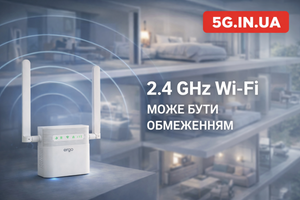
When a store loses its main internet provider, the problem is much bigger than simply “there is no internet.” The checkout system stops working, payments fail, the CRM becomes unavailable, inventory no longer syncs, staff cannot process orders properly, and in some cases even video surveillance goes offline. For a small business, this is not a minor technical inconvenience but a direct financial and reputational loss. That is why backup internet for a store is not an optional extra “just in case,” but a basic part of business continuity.
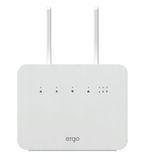
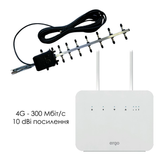
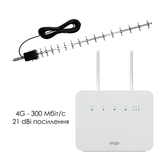
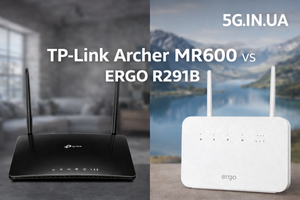
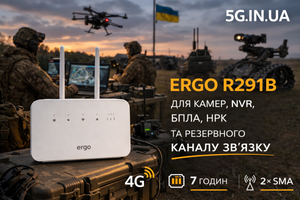
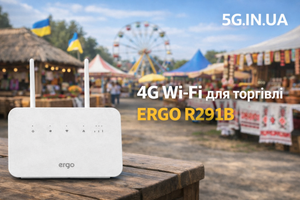
For most stores in Ukraine, the most practical backup scenario is a 4G router with a SIM card that can quickly take over when the wired connection fails. ERGO R291B fits this role well: it combines 4G LTE, WAN/LAN architecture, gigabit ports, 2.4/5 GHz Wi-Fi, support for external LTE antennas via 2×SMA, and автономous operation for up to 7 hours from its built-in battery. For a store, this means one simple thing: one router can maintain the main or backup connection and provide internet access to the cash register, payment terminal, laptop, manager’s phone, and other critical devices without turning the network into a mess of improvised solutions.
Why a Store Needs Backup Internet Even If the Main Provider “Usually Doesn’t Go Down”
In real business, one bad day is enough to understand the value of backup connectivity. A provider can fail because of a line outage, damaged equipment, power loss at the operator’s node, problems on the upstream side, or simply local network issues inside the building. For a store, the reason does not matter: the customer is standing at the checkout now, not after the connection is restored.
The most painful consequences usually look like this:
Payment Processing Stops
When a POS terminal cannot connect to the network, the store starts losing sales immediately. Some customers do not carry cash, and some will simply go to a competitor. If this is a retail location with a decent average order value, losing even a few transactions per hour can already cost more than a proper backup solution.
Problems with Software Cash Registers, CRM, and Cloud Services
A modern store often depends on web dashboards, cloud accounting, shipping APIs, messengers, websites, marketplaces, and inventory systems. Without internet access, the business does not just “work more slowly” — it loses operational control.
Internal Processes Break Down
Managers cannot verify payments, operators cannot see orders, administrators lose access to current data, and the owner no longer understands what is happening at the retail location. All of this creates errors that may take hours to sort out even after the connection is restored.
What Proper Backup Internet for a Store Actually Means
Backup internet is not “sharing a hotspot from a phone.” It is a separate stable connection that is ready to work the moment the primary one fails. In a store, the solution should be routine, not heroic.
A proper backup setup meets three simple requirements:
Fast Deployment Without Complex Infrastructure
When the provider goes down, nobody wants to look for a charger, find a second phone, enable hotspot mode, re-enter passwords, and reconnect every device one by one. A separate router should already be installed and ready to work.
Support for Critical Devices Over Both Cable and Wi-Fi
In a store, some equipment works better over Ethernet while other devices rely on Wi-Fi. A checkout terminal, mini PC, network printer, or stationary payment terminal often needs a wired port. Staff smartphones, laptops, tablets, or backup POS devices work over wireless. That is why a backup router must operate reliably in both environments.
Autonomous Operation During Power Outages
Providers often fail together with power or immediately after it. If the router has no battery and the store has no UPS, the backup may fail exactly when it is needed most. In that scenario, a built-in battery is not just a nice extra but a real functional advantage.
Why 4G Is a Practical Backup for a Store
In most Ukrainian cities, 4G is the most rational backup channel for a small or mid-sized business. The reason is simple: it is separate infrastructure, independent of the local cable line, the building switch, the office ISP, or damaged fiber inside the property.
A 4G backup gives a store several clear advantages:
Independence from a Specific Wired Provider
The main connection and the backup should not fail for the same reason. If a store has only one cable-based internet line and no second route, the entire system depends on a single weak point. A SIM card inside a 4G router physically separates those risks.
Fast Setup
There is no need to wait for an installer, run new cable, coordinate another entry line, or pull fiber into a rented premises. In many cases, it is enough to insert a SIM card, configure the router, and place it in the right location.
Reliable Operation for Critical Business Tasks
For the checkout, payment terminal, CRM, browser, messaging apps, email, order processing, and most core store operations, 4G is usually enough. Not every backup connection needs “maximum speed.” It needs predictable operability when it matters.
What a Router for Store Backup Internet Should Be Like
A router for this task should not be judged by marketing numbers in isolation. It should be judged by whether it can survive a real store working day when the main connection has failed and business still has to continue.
ERGO R291B fits this use case not because of abstract “versatility,” but because of the right architecture.
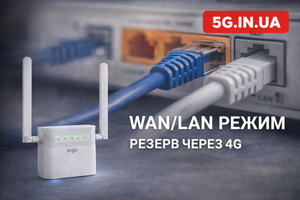
WAN/LAN Logic for Proper Integration into a Store Network
In a business environment, it is not enough to have a SIM card. The router also has to fit properly into the existing network. WAN/LAN architecture allows the router to function not as a toy “for the cottage,” but as a real working node in a store. This matters in environments with checkout systems, payment terminals, laptops, receipt printers, televisions in the sales area, IP cameras, or a separate network switch.
Gigabit Ports for Wired Devices
Even if the backup connection itself does not always need gigabit throughput, having proper Ethernet ports still makes life easier. Checkout nodes, office PCs, televisions, and some POS systems work more reliably over cable. The store gets not just “another Wi-Fi router,” but a device that integrates properly with the local network.
Dual-Band Wi-Fi AC1200
A store always faces radio interference. Neighboring networks, employees’ phones, Bluetooth devices, and sometimes wireless cameras or other equipment can overload 2.4 GHz. Support for both 2.4 and 5 GHz gives more flexibility: critical devices can be distributed across bands, and the internal wireless network becomes less congested.
Autonomous Operation for Up to 7 Hours
For business, this is one of the key features. If power disappears and the store only has partial backup power, a router with a built-in battery keeps the connection alive. Up to 7 hours of autonomous operation is not a symbolic reserve — it is a practical time span often sufficient to survive an outage, a short power interruption, or even most of a working day with unstable electricity.
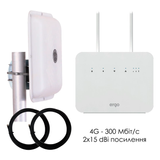
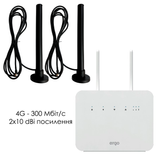
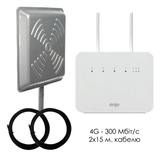
2×SMA for External LTE Antennas
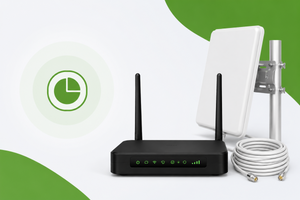
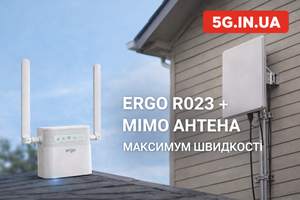
This is where ERGO R291B moves beyond the limits of a basic “mobile router.” Stores can be located in basements, shopping malls, dense urban buildings, old premises with thick walls, metal kiosks, warehouses, or locations with poor positioning relative to the operator’s base station. If LTE reception indoors is weak, the ability to connect an external MIMO antenna via two SMA connectors significantly increases the chances of getting a stable backup channel.
Practical Scenarios Where ERGO R291B Makes Sense
A Store in a Shopping Mall, Where the Problem Is Often the Building, Not the Router
In shopping malls, mobile signal often degrades because of concrete, metal, glass, large amounts of equipment, and overloaded radio conditions. If the main provider fails in such a location, a salesperson’s smartphone is not a serious solution. A dedicated 4G router placed correctly gives much better control over the situation. And if LTE is weak in the specific indoor location, an external antenna solves the problem far more technically than random attempts to “catch signal” near the entrance.
A Ground-Floor Store or Semi-Basement Space
The usual issue here is weaker radio signal indoors combined with an unreliable cable provider. In this case, ERGO R291B is valuable because it can work as a backup node with an external antenna connected. For the business, that means one practical thing: the backup channel can be made not just possible, but truly operational.
An Island Kiosk, Temporary Sales Point, or Seasonal Store
Temporary retail formats rarely need complex infrastructure. What matters here is mobility, autonomy, and fast deployment. A router with a SIM card and battery allows internet access to be deployed where running a fixed wired connection simply makes no economic sense.
A Store with Frequent Power Outages
When the problem is not only the provider but also electricity, a regular stationary router without a battery may turn out to be useless. ERGO R291B can continue operating autonomously for up to 7 hours, which means the backup remains a real backup even during a power outage.
How to Build Backup Internet for a Store Properly
The biggest mistake is buying a 4G router and assuming the problem is solved. In reality, backup stability depends not only on the device itself, but on the overall scheme.
1. Define What Must Keep Working During an Outage
Not every part of the store is equally critical. In most cases, it is enough to ensure internet access for:
-
the checkout or checkout PC;
-
the POS terminal;
-
the administrator’s laptop;
-
one or two staff smartphones;
-
access to the CRM, browser, messengers, and essential cloud services.
When the backup channel is not overloaded with secondary tasks, it works more predictably.
2. Choose the Installation Point Correctly
A 4G router does not work well when placed randomly on the floor, under a desk, next to a metal cabinet, or inside a closed niche. In a store, it is usually better to place it closer to a window or in the area with the strongest LTE signal. This directly affects stability, latency, and speed.
3. Use an External Antenna Where It Is Actually Needed
If the store is located in a difficult radio environment, an external MIMO antenna often gives a greater effect than trying to “pick a better router.” In combination with ERGO R291B, this is a logical extension of the system, not an exotic accessory.
4. Test the Backup Before the Emergency, Not After
Backup internet should not be a “potential possibility,” but a verified working scenario. Before it is actually needed, the store should test:
-
whether checkout devices connect correctly;
-
whether the payment terminal works;
-
whether the CRM opens normally;
-
whether the speed is sufficient for actual tasks;
-
how the system behaves when the main channel disappears.
Honest Limitations: When 4G Backup for a Store May Not Deliver the Desired Result
4G backup internet is a strong solution, but it is not magic. There are scenarios where it must be evaluated realistically.
No Usable LTE Coverage at All
If the premises or the area has no workable operator signal, the router cannot create connectivity out of nothing. In such cases, coverage analysis, operator choice, proper installation, and often an external antenna are required first.
An Overloaded Base Station
During peak hours, emergencies, or in very crowded areas, the mobile network itself can slow down. In that case, the backup channel will usually still work, but not always at the speed expected during calm periods.
Wrong Expectations About Video Surveillance and Heavy Traffic
If a store expects its backup 4G channel to support several cameras with continuous cloud archiving, large updates, bulk uploads, or constant high-quality video streaming, that is already a different traffic profile. A backup connection should first keep critical business processes running, not everything at once.
Poor Internal Network Organization
Sometimes the problem is not the provider and not 4G, but the store’s own local setup: cheap switches, messy cabling, checkout systems running through chains of adapters, old cable, DHCP conflicts, overloaded Wi-Fi, or poorly placed hardware. A backup router cannot fix chaos across the entire infrastructure.
Why ERGO R291B Looks Rational Specifically for a Store
There are many routers on the market that are either too “home-oriented,” too compromised, or simply inconvenient for real business use. ERGO R291B hits a practical balance.
It is not tied to a single narrow use case. It can serve as a backup in a store, as the main 4G channel in a temporary retail point, as an emergency internet solution for the checkout area, or as a working option during blackouts or unstable wired internet. It has what actually matters for this job: LTE, WAN/LAN logic, gigabit ports, 2.4/5 GHz Wi-Fi, two SMA connectors for a MIMO antenna, and up to 7 hours of autonomous operation.
That combination is what makes it relevant not only on paper, but during a real working day in a store.
Backup internet for a store when the main provider goes down is not a technical luxury and not just something to have “for safety.” It is a way to avoid stopping sales, losing payments, breaking operational workflows, and explaining to customers why the store exists but cannot function properly.
For most stores in Ukraine, the most rational backup logic looks like this: a dedicated 4G router, ready to work, preferably with autonomous operation, proper network architecture, and the ability to connect an external antenna. ERGO R291B fits this task well because it addresses not just one parameter, but the whole practical scenario: a backup channel, operation over cable and Wi-Fi, up to 7 hours of autonomous work, and the ability to improve LTE reception in difficult premises.
If a store needs not “just another router,” but a working backup internet solution without unnecessary drama, ERGO R291B is one of the options worth serious consideration. You can review the model, compatible antennas, and ready-made business solutions at the 5G.IN.UA online store.
FAQ
What is the best type of backup internet for a store?
In most cases, the most practical solution is a dedicated 4G router with a SIM card. It does not depend on the local wired provider and can be brought into operation quickly.
Is 4G enough for a checkout, payment terminal, and CRM?
Yes. For most stores, 4G is sufficient for checkout operations, card payments, browser work, CRM access, messengers, and essential cloud services. Problems usually come not from 4G as a concept, but from weak signal, an overloaded base station, or unrealistic expectations for heavy traffic.
Why is ERGO R291B better than sharing internet from a smartphone?
A smartphone is a temporary improvisation. ERGO R291B is a separate network node with WAN/LAN architecture, gigabit ports, dual-band Wi-Fi, support for external LTE antennas, and up to 7 hours of autonomous operation.
Does a store need an external antenna?
Not always. If indoor LTE signal is stable, the router can work without one. But in semi-basements, shopping malls, dense urban buildings, metal kiosks, and spaces with weak signal, an external MIMO antenna often delivers a significantly better result.
Can ERGO R291B work during a power outage?
Yes. Its built-in battery allows the router to operate autonomously for up to 7 hours. For a store, this means the backup channel can survive not only provider failure but also short or medium-duration power interruptions.
Can ERGO R291B be used as the main internet connection for a small store?
Yes. In many scenarios, it can serve both as the main and as the backup connection. That depends on operator coverage, traffic load, and the store’s internal network design.
Is it worth buying a backup router if the provider rarely goes down?
Yes, because businesses lose money not from how often failures happen, but from the consequences of each one. A single outage during peak sales hours can cost more than a properly configured backup solution.