LTE B28 is not 5G n28: avoid buying a router without the required band
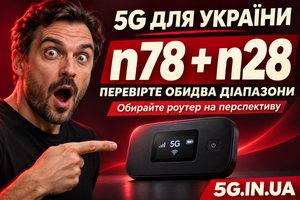
The specifications mention “700 MHz,” the casing says “5G,” and B28 appears in the band list. Everything seems to line up: surely the device will work with 700 MHz 5G. But that information is insufficient.
B28 in the LTE section confirms 4G support. For 5G, n28 must appear in the NR band list. This is easy to miss, particularly when a seller combines all frequencies into one list without separating the technologies.
What the letter before the number means
LTE and NR are different mobile communication standards. Their bands are listed separately in specifications.
| Specification entry | What it confirms |
|---|---|
| LTE B28 or LTE Band 28 | Operation on band B28 in a 4G network |
| 5G NR n28 | Operation on band n28 in a 5G network |
| 700 MHz | Only the frequency range; the technology needs clarification |
Similar frequencies do not make the capabilities interchangeable. A router must support the required communication standard, its band and the network configuration.
The specific question to ask a seller is: “Does this exact variant support NR n28?” An answer of “it supports 700 MHz” leaves that question unresolved.
What Inseego’s documentation shows
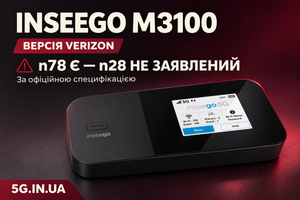
Consider the M3100 Verizon. In the Verizon entry of the MiFi X PRO specification table, the manufacturer lists B28 among the LTE bands. The 5G Sub-6 list contains n2, n5, n48, n66, n77 and n78. n28 is absent.
Therefore, LTE B28 cannot be used as evidence that this version supports 5G n28. It does support n78: the issue is specifically the absence of listed n28 support, not a complete lack of 5G.
We examine this limitation further in our article on the M3100 Verizon without n28.
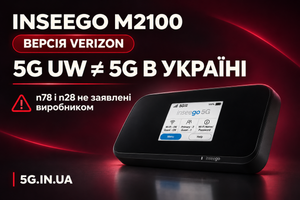
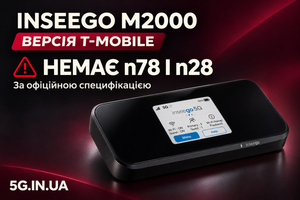
Another example is the M2000 T-Mobile. On the second page of its datasheet, B28 appears in the LTE list. Its 5G list consists of n2, n41, n66 and n71. Here too, LTE B28 does not establish NR n28 support.
Where buyers can make a mistake
Confusion arises when descriptions mix different specifications. For example, a headline promises 5G, an LTE band list appears below it, and a nearby statement says “supports 700 MHz.” A buyer might infer n28 support even though the documentation makes no such claim.
This is a hypothetical product listing example. To assess an actual listing, compare it with the datasheet for the exact version being sold.
Screenshots require similar care. B28 in LTE diagnostics identifies a fourth-generation connection. If 5G NSA is also active, check the active NR band separately: it may be a different band. B28 alone does not establish n28 operation.
Why check before buying?
In its article on 5G development, Kyivstar describes 3500 MHz for speed and 700 MHz for wider coverage. These are deployment directions, not confirmation that n28 is available everywhere.
If you are buying a router for future n28 use, verify support now. When the relevant network becomes available in your area, a device without n28 will not be able to use that connection. Whether it can remain on LTE will depend on the available network.
We explain the two bands considered in our buying criteria in why a router for Ukraine should support n78 and n28.
The check takes only a few minutes
Ask for the exact variant and SKU. Find the 5G NR bands section in the matching datasheet and check for n28. If the document covers multiple carrier versions, use the appropriate row.
When a seller refers to modified firmware, ask what evidence supports capabilities beyond the official specifications. A menu option or a promised update does not establish an actual connection. For a band unavailable at the test location, documentation or other verifiable technical evidence is required.
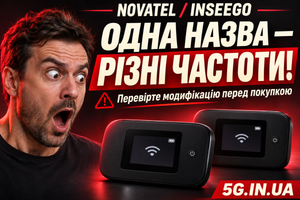
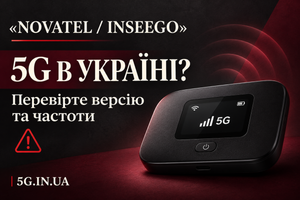
Do not buy Novatel / Inseego for 5G in Ukraine—that is our editorial recommendation for buyers seeking to avoid this confusion. However, the brand has variants with listed n28 support, so technical conclusions must be based on the exact version.
The check is the same for every manufacturer: if you need 5G n28, look for that exact entry in the specifications. LTE B28 does not replace it.