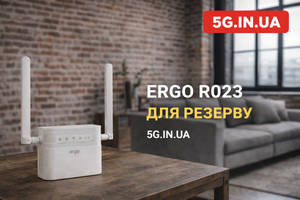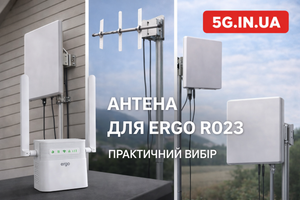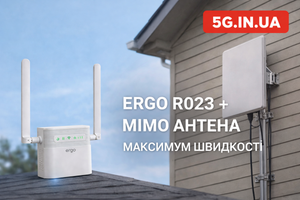
When adjusting an external antenna for ERGO R023, you should not rely on signal bars — you should rely on SINR. If SINR is above 10 dB, the connection is stable and speeds are close to the maximum possible in your location. If SINR is between 5–10 dB, performance is acceptable but may fluctuate. Below 5 dB, the antenna is either misaligned or affected by interference.
The correct method: open the ERGO R023 web interface (192.168.1.1 → Internet → Engineering Information), rotate the antenna horizontally in small 5–10° steps, wait 20–30 seconds after each adjustment, and lock in the position that delivers the best SINR combined with stable real-world speed, not just the strongest RSRP.
SINR is the primary quality metric. RSRP is only signal strength. The difference matters.
Why SINR Matters More Than “Signal Strength”
Most users focus on:
-
signal bars on a phone
-
RSRP value
-
“4G” indicator
This approach is incomplete.
What RSRP Means
RSRP (Reference Signal Received Power) measures how strong the LTE signal is.
Typical ranges:
-
good: −80 to −95 dBm
-
acceptable: −95 to −105 dBm
-
poor: below −105 dBm
However, strong signal does not guarantee high speed.
What SINR Means
SINR (Signal to Interference + Noise Ratio) measures how clean the signal is compared to interference and noise.
SINR directly affects:
-
connection stability
-
modulation scheme
-
real throughput
-
retransmissions
Guidelines:
-
10 dB — good
-
5–10 dB — acceptable
-
< 5 dB — poor
Example:
-
RSRP −85 dBm + SINR 2 dB → low speed
-
RSRP −95 dBm + SINR 15 dB → stable high speed
Signal quality is more important than raw signal power.
Accessing Engineering Mode on ERGO R023
-
Connect to the router’s Wi-Fi.
-
Open a browser and go to 192.168.1.1.
-
Log in (admin / admin).
-
Select “Internet.”
-
Open “Engineering Information.”
You will see:
-
RSRP
-
RSRQ
-
SINR
These values are sufficient for accurate antenna alignment.
Step-by-Step Antenna Adjustment Using SINR
Step 1. Verify Proper Connection
ERGO R023 includes two SMA connectors. For proper MIMO operation:
-
connect both antenna cables
-
use equal cable lengths
-
tighten securely but without excessive force
Using one cable reduces performance.
Step 2. Proper Antenna Placement
-
install outside the building
-
at least 1 meter above roof level
-
avoid nearby metal structures
-
do not install inside the room
Indoor placement significantly reduces SINR due to reflections.
Step 3. Initial Orientation
Aim the antenna roughly toward the operator’s base station or nearby town.
Record initial RSRP and SINR values.
Perform a speed test for baseline comparison.
Step 4. Fine Alignment Based on SINR
-
Rotate the antenna 5–10°.
-
Wait 20–30 seconds.
-
Check SINR.
-
Record the value.
Repeat across the horizontal arc.
Important
Ignore small RSRP improvements if SINR decreases.
Focus on:
-
highest stable SINR
-
consistent values
-
minimal fluctuations
Practical Example
Scenario A:
-
RSRP: −82 dBm
-
SINR: 3 dB
-
Speed: 12 Mbps
Scenario B:
-
RSRP: −94 dBm
-
SINR: 14 dB
-
Speed: 48 Mbps
Scenario B is clearly superior despite weaker signal strength.
Why SINR Drops
1. Physical Obstructions
-
metal roofing
-
building facades
-
nearby structures
2. Sector Overlap and Interference
In urban areas, signals from multiple sectors overlap.
The antenna may receive interfering LTE signals.
3. Incorrect MIMO Polarization
For a panel MIMO antenna:
-
connect both cables properly
-
mount vertically as specified
-
avoid incorrect orientation
Magnetic Antenna Considerations
In a vehicle:
-
mount at the center of the metal roof
-
the roof acts as ground plane
In an apartment:
-
install outside
-
preferably on a metal windowsill
Indoor placement increases multipath interference and reduces SINR.
Common Setup Mistakes
-
Adjusting only based on RSRP
-
Rotating too quickly without waiting
-
Installing antenna indoors
-
Using only one cable
-
Tightening mounting hardware before finishing alignment
What Is a Normal Result?
After proper alignment:
-
SINR above 10 dB
-
stable speed without sudden drops
-
improved upload
-
lower ping
An antenna does not “create” internet — it optimizes available signal.
Method Limitations
1. Base Station Congestion
High SINR does not guarantee maximum speed during peak hours.
2. Physical Distance
At 15–20 km from the base station, even perfect alignment has limits.
3. LTE Cat.4 Limitation
ERGO R023 is limited to 150 Mbps.
Perfect SINR cannot exceed this hardware limit.
4. Cable Quality
Long or low-quality cables reduce overall efficiency.
Why ERGO R023 Is Suitable for Technical Alignment
-
Engineering menu is easily accessible
-
Clear display of RSRP / RSRQ / SINR
-
Full MIMO 2×2 support
-
Stable operation with external antennas
-
Mechanical power button for controlled testing
These features allow precise technical alignment rather than guesswork.
Conclusion
Antenna alignment for ERGO R023 based on SINR is a technical process, not an intuitive one. SINR determines modulation, stability, and real-world speed. RSRP is important but secondary.
Correct algorithm:
-
install antenna outdoors
-
connect both MIMO cables
-
access engineering mode
-
rotate slowly
-
maximize SINR
-
verify real speed
When properly configured, ERGO R023 combined with a suitable 4G antenna allows you to fully utilize the LTE network available at your location. Detailed specifications and compatible antennas are available at 5G.IN.UA.
FAQ
1. Which is more important: RSRP or SINR?
SINR determines connection quality.
2. What SINR value is considered good?
Above 10 dB.
3. Why is speed low despite strong signal?
Likely low SINR or base station congestion.
4. Should both antenna cables be connected?
Yes, for full MIMO 2×2 performance.
5. How long should I wait after rotating the antenna?
20–30 seconds.
6. Can the antenna be installed indoors?
No, performance drops significantly.
7. Does an antenna guarantee higher speed?
No. It optimizes signal quality but does not increase operator capacity.