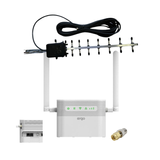
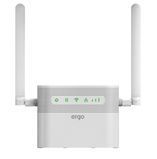
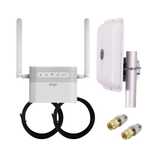
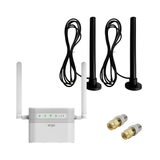
2.4 GHz Wi-Fi can become a limitation due to limited available spectrum, heavy channel congestion, interference from household devices, and lower peak throughput compared to 5 GHz. In dense urban environments, this leads to reduced real-world bandwidth, increased latency, and connection instability. However, 2.4 GHz provides better range and wall penetration, making it a rational choice for small apartments, private houses, or backup internet scenarios. ERGO R023 operates on 2.4 GHz (802.11 b/g/n up to 300 Mbps PHY rate), and in many practical LTE Cat.4 scenarios, the Wi-Fi layer — not the mobile network — becomes the bottleneck. Proper channel selection, bandwidth configuration, and router placement can significantly reduce these limitations.
What 2.4 GHz Wi-Fi Is — and Where Its Limits Appear
ERGO R023 supports 2.4 GHz Wi-Fi under the 802.11 b/g/n standard with a declared maximum PHY rate of 300 Mbps. It is important to understand: 300 Mbps is a physical layer rate, not real TCP/UDP throughput. Due to protocol overhead, contention, and radio conditions, real throughput typically ranges between 40–120 Mbps in good environments.
The main reasons 2.4 GHz may become limiting:
-
Limited spectrum width. Only three non-overlapping channels (1, 6, 11 at 20 MHz).
-
High congestion. In apartment buildings, dozens of neighboring networks operate in the same band.
-
Interference. Microwave ovens, Bluetooth devices, wireless peripherals, IoT — all share 2.4 GHz.
-
Lower peak throughput compared to 5 GHz.
Spectrum and Channels: The Physics of the Limitation
Non-Overlapping Channels
At 20 MHz channel width, only three non-overlapping channels are available.
At 40 MHz (required for 300 Mbps PHY), the router effectively occupies two channels, increasing overlap risk. In dense environments, 40 MHz often reduces performance rather than improving it.
CSMA/CA and Airtime Contention
Wi-Fi operates on a “listen before talk” principle (CSMA/CA).
If the medium is busy, transmission is delayed.
The more networks in the area, the more waiting time and retransmissions occur.
In 2.4 GHz, this effect is especially pronounced.
Practical Apartment Scenario
Environment: multi-story building, 10–20 visible networks.
-
ERGO R023 signal: -50 dBm (excellent).
-
Channel 6, 40 MHz width.
-
LTE speed: 90 Mbps.
Measured Wi-Fi throughput: 35–55 Mbps.
Cause: airtime contention and frame retransmissions.
After switching to 20 MHz on a less congested channel: 60–75 Mbps.
Conclusion: narrower bandwidth can produce higher real throughput.
2.4 GHz vs 5 GHz: Engineering Trade-Offs
| Parameter | 2.4 GHz | 5 GHz |
|---|---|---|
| Range | Higher | Lower |
| Wall penetration | Better | Worse |
| Available spectrum | Limited | Wide |
| Congestion | High | Usually lower |
| Peak throughput | Lower | Higher |
ERGO R023 operates only in 2.4 GHz. This means:
-
Lower local peak Wi-Fi speed compared to dual-band routers
-
Better coverage distance and wall penetration
For LTE Cat.4 (up to 150 Mbps), 2.4 GHz is typically not a critical bottleneck if properly configured.
When 2.4 GHz Becomes the Bottleneck
1. Many Active Devices
10–20 connected clients create airtime competition. Even if LTE provides 100 Mbps, Wi-Fi distributes that bandwidth inefficiently among clients.
2. 4K Streaming + Online Gaming
Higher jitter and latency appear under congestion.
3. 40 MHz in a Crowded Environment
Aggressive channel bonding often reduces stability.
When It Is Not a Problem
ERGO R023 is positioned as:
-
LTE Cat.4 router
-
Backup internet solution
-
Home or small office router
In most real scenarios:
-
3–6 active devices
-
Moderate LTE speeds (30–90 Mbps)
-
Limited local network load
Under these conditions, 2.4 GHz is not the primary constraint.
Optimizing 2.4 GHz on ERGO R023
1. Manual Channel Selection
Choose channel 1, 6, or 11 after scanning the environment.
2. Use 20 MHz in Urban Areas
Improves stability and reduces overlap.
3. Proper Router Placement
-
Open central location
-
Away from metal surfaces
-
Not near microwave ovens
4. Use LAN for High-Speed Devices
For speeds above 100 Mbps within the local network, wired Ethernet is preferable.
Technical Limitations
-
ERGO R023 does not support 5 GHz Wi-Fi.
-
300 Mbps PHY rate does not equal real throughput.
-
Apartment environments may overload 2.4 GHz spectrum.
-
Latency increases under heavy contention.
-
Throughput is shared among all connected devices.
Engineering Conclusion
2.4 GHz Wi-Fi is a compromise between range and spectral efficiency. In apartment buildings, it can become a limitation due to congestion and limited spectrum. However, for the intended use cases of ERGO R023 (LTE Cat.4 up to 150 Mbps, moderate number of clients, backup internet access), properly configured 2.4 GHz provides predictable and stable performance.
If maximum local throughput is required, wired LAN or an additional 5 GHz access point can be added. If stable LTE connectivity and reliable indoor coverage are the priority, ERGO R023 operating in 2.4 GHz remains a technically sound solution.
Full specifications of ERGO R023 and compatible network optimization accessories are available at 5G.IN.UA.
FAQ
1. Does 2.4 GHz limit LTE speed?
It can, especially in congested environments or with many connected devices.
2. Why is 300 Mbps advertised but real speed is lower?
300 Mbps is the PHY rate. Real TCP/UDP throughput is always lower.
3. Is 40 MHz channel width better?
Not in dense apartment buildings. 20 MHz is often more stable.
4. Should I switch to 5 GHz?
For higher local speeds, yes. For longer range, 2.4 GHz is better.
5. Does the number of devices matter?
Yes. Wi-Fi bandwidth is shared among all clients.
6. Will an external LTE antenna fix Wi-Fi congestion?
No. It improves LTE signal quality but does not reduce Wi-Fi congestion.
7. Is 2.4 GHz sufficient for home use?
In most ERGO R023 use cases, yes — if properly configured.