An antenna cannot add n78 or n28: what to check before buying a Novatel / Inseego kit
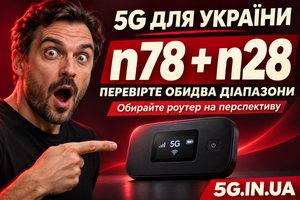
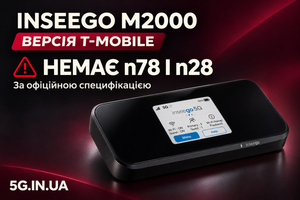
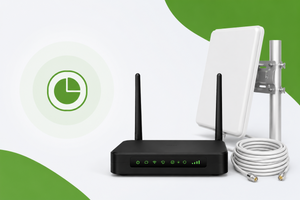
A router, panel antenna, two cables and adapters can look like a complete solution for fast internet. But if the particular router variant does not support the required 5G band, an external antenna alone will not fix that.
A passive antenna helps receive and transmit radio signals within its operating range. It does not add a missing cellular technology or band to a router. A “5G” label on an antenna does not establish compatibility for the entire kit.
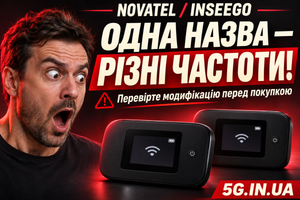
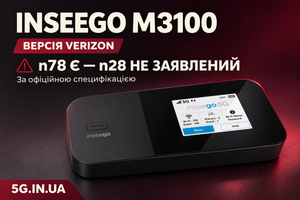
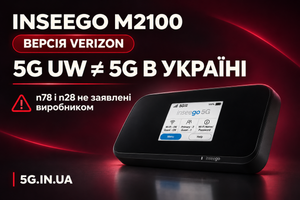
Before buying Novatel / Inseego, check the router, antenna and connection method separately.
Weak reception and missing support are different problems
If the router supports the required network but reception inside the building is poor, a correctly selected and installed external antenna may help.
If the device does not support the required band, putting an antenna on the roof will not create that support. This technical conclusion follows from the different roles of the antenna and radio module: an antenna is neither a replacement modem nor a cellular-standard converter.
Do not diagnose the absence of 5G from the signal indicator alone. Check the device specifications, service availability, settings and network conditions. “5G does not work” can describe several different problems.
Compatibility starts before the adapter
Antenna manufacturer POYNTING identifies three separate checks: frequency compatibility, MIMO configuration and connectors. Adapters must also be suitable for the operating frequencies.
Physically joining the connectors is therefore insufficient. The seller should explain which radio path the antenna connects to and which frequencies that path supports.
| What to check | Evidence required |
|---|---|
| Router variant | Exact identification and its cellular-band specifications |
| External ports | Purpose and frequency restrictions in the manual |
| Antenna | Operating frequencies and performance in the required band |
| MIMO connection | Number of independent antenna paths and wiring arrangement |
| Cables and adapters | Type, length, operating frequencies and losses |
| Performance | Results for the kit under the stated test conditions |
An Inseego example: a connector does not cover every frequency
The Inseego FX3100 documentation specifies 1700–2700 and 3300–4200 MHz for its external TS9 antenna port. The region around 700 MHz is outside those ranges. This describes the external port, not the router’s complete cellular capabilities.
The resulting limitation is specific: attaching a wideband antenna does not establish that this port can improve reception at 700 MHz.
Other models differ. The Inseego FX4200 has four external cellular SMA ports covering 0.6–6 GHz. Its instructions require all four to be connected for external operation and warn that unsuitable antennas, accounting for cable loss, can reduce performance.
These examples are not purchasing recommendations. They demonstrate why connection requirements must be checked per device rather than assumed across a brand.
“700–2700 MHz” does not cover n78
A Quectel technical document lists band 28 at 703–748 MHz uplink and 758–803 MHz downlink, and band 78 at 3300–3800 MHz. These are band boundaries, not a statement about a particular carrier’s coverage.
An antenna specified for 700–2700 MHz therefore has no declared coverage of n78. Presenting it as a universal n28/n78 solution without further measurements is unjustified.
Likewise, “700–3800 MHz” does not imply equal performance throughout that range. Assess the manufacturer’s band-specific data, not just the largest gain figure on the packaging.
A long cable can reduce the antenna’s benefit
Analog Devices explains that coaxial cable losses depend partly on frequency. A loss figure for one band should not be applied to another without checking.
Consider a hypothetical calculation: an antenna provides 10 dBi gain at the required frequency, while the cable and connections introduce 4 dB of loss. Subtraction leaves approximately 6 dB. This simplified example excludes other installation factors and does not predict internet speed.
Request specifications for the cable length you will actually receive. A result obtained with a short cable does not establish the same result with a twenty-metre run.
What needs to be established before buying
A kit for a particular 5G band requires compatibility throughout the chain: network, router, external port, cable and antenna. Spending more on the other components does not remove a limitation in one of them.
If the seller promises to fix compatibility by flashing the device, read our analysis of Novatel / Inseego firmware capabilities. If Wi-Fi 6 is offered as the argument, see our explanation of Wi-Fi versus cellular 5G.
Do not buy Novatel / Inseego for Ukrainian 5G expecting an external antenna to compensate for missing support for the required band. Check the specific router and its ports first. Only then does antenna selection make sense.