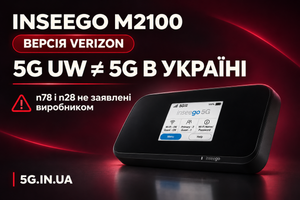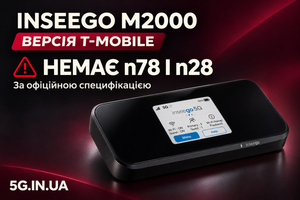
5G NSA and SA: why n78 in Novatel / Inseego specifications does not guarantee a connection
You checked the router’s specifications and found n78. The seller says that settles compatibility with Ukrainian 5G. But another check remains: in which mode does the device support that band, and is it compatible with the intended network configuration?
Having n78 in the specifications is an important requirement for using that band, but it is not a complete compatibility check. For 5G NSA, you also need to establish how the router operates together with LTE.
This applies to every manufacturer. When buying a US carrier variant of Novatel / Inseego, do not skip this check simply because you finally found the required band number.
What NSA and SA mean
Cisco’s technical documentation describes two common architectures: NSA uses LTE and the 4G core as an anchor for 5G NR; SA combines 5G NR radio access with a 5G core.
For a buyer, the distinction is practical: frequency support and network-mode support are separate capabilities. A “5G SA” label does not establish NSA compatibility. Equally, an NSA-only device should not be bought for a network that requires SA.
Why LTE matters in the Ukrainian example
In its announcement dated 10 September 2026, Kyivstar stated that its test zones used 5G NSA in the 3500 MHz band. This describes a particular pilot deployment, not every Ukrainian network or its future configuration.
For that scenario, checking only the 5G section of a router’s specifications is insufficient. LTE participates in the connection itself rather than merely providing backup when 5G disappears.
The supported LTE bands therefore matter even when your main reason for buying the device is fifth-generation connectivity.
Supporting LTE and n78 separately does not establish simultaneous operation
Qualcomm explains the requirements for NSA: the device must support simultaneous operation on the required LTE and 5G bands, connect to the LTE anchor cell and receive a sufficiently strong 5G signal.
This joint connection is called EN-DC. An Ericsson technical article describes how the network considers device capabilities and supported band combinations. The practical implication is that two separate specification entries do not establish support for the required combination.
You do not need to decode hundreds of technical identifiers yourself. But when a seller promises compatibility, ask what supports that conclusion: documentation for the exact variant or testing on the intended network.
A “5G” menu option may not tell the whole story
The Inseego MiFi X PRO manual describes technology selection separately from 5G mode selection. The latter includes Auto (NSA/SA), SA and NSA; the manufacturer notes that some options are unavailable on certain devices.
Do not interpret “5G only” without consulting the particular device’s instructions. Establish exactly what the setting restricts.
Selecting SA-only where only NSA is available will not produce an SA connection. That is a mode mismatch, not proof of faulty hardware. Avoid changing several settings at random: record the existing configuration and check what each option does first.
What Inseego’s documentation can establish
The official MiFi X PRO table separates specifications by SKU, identifying particular variants. Connectivity modes and band lists appear separately. The product-family name alone is therefore insufficient to select the correct row.
A short specification sheet may still leave questions about simultaneous band operation unanswered. If you cannot find an EN-DC list, the correct conclusion is “more information is needed”. Its absence alone does not prove that the router is incompatible.
What to establish before paying
Ask the seller to clarify:
| Question | What should be clear |
|---|---|
| Which exact variant is being sold? | Model, SKU and carrier version |
| Which modes are supported? | NSA and/or SA for the intended use |
| What establishes compatibility? | Documentation, manufacturer confirmation or testing |
| How was it tested? | Carrier, location, firmware and active connection |
| What if the claimed operation is unavailable? | Testing and return arrangements agreed before purchase |
A test of one unit at one location is useful, but it should not be presented as a guarantee of operation everywhere.
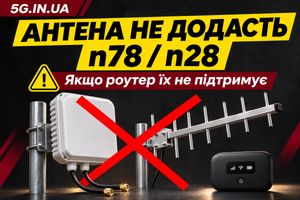
An antenna cannot replace checks of the device’s modes and capabilities. See “An antenna cannot add n78 or n28” for its limitations. We examine promises to fix everything through software in our Novatel / Inseego firmware article.
Do not buy Novatel / Inseego for Ukrainian 5G solely because n78 appears in the specifications. Before paying, establish whether the exact variant suits the required mode and network. A seller’s confidence does not turn unverified compatibility into a verified capability.